
How to Search for a Warrant in Pittsburg County
Pittsburg County publishes no dedicated sheriff warrant-search page, so work from the case rather than a broad name sweep. Start with whatever paper you have: a notice, citation, or court caption. Once a case number is in hand, search OSCN, and use ODCR when you need party, court, case, and date filters. The Pittsburg County Court Clerk confirms District Court status; a city clerk handles a municipal ticket. Save the sheriff at 1210 N West Street for the questions that office actually answers: service, custody, or surrender. The sheriff serves District Court papers, but recall and the next court event stay with the issuing court.
- Gather your name as used on the paper, case or citation number, court, and approximate date.
- Search OSCN by county and case number, or use ODCR's Last, First field with a tight date range.
- Read the docket event, not just the case caption.
- Ask the Court Clerk or city court to confirm whether the order is current.
- Call the sheriff only after the court explains the service or custody step.
Pittsburg County Search Starts With the Paper
A paper notice is the strongest lead you can carry into a Pittsburg County warrant check. OCCA model forms and local records track the same fields: case, citation, court, judge, warrant, service, bond, and return. If the paper names District Court, an identifier like CF-YYYY-NNN, CM-YYYY-NNN, or TR-YYYY-NNN narrows the hunt fast. Municipal courts may rely on a city citation number instead. No number at all? Write down the issuing city, agency, last appearance, and offense description. ODCR accepts a name and date range, but common names pull many records, so skip anything unrelated. The goal is simple: the correct court and case, so the Pittsburg County clerk can answer the status question.
Pittsburg County Warrant Search Fields
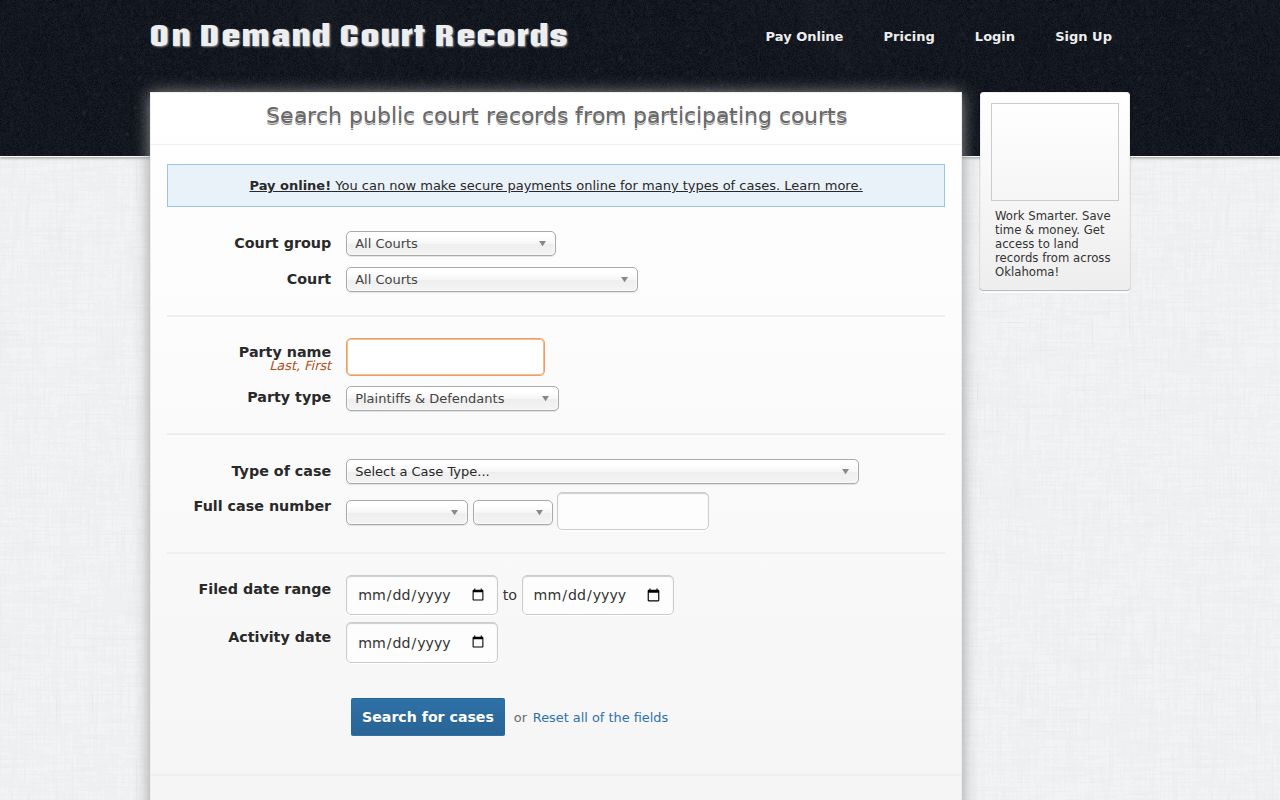
OSCN is built around the county or court and a case number. ODCR offers more filters in a Pittsburg County warrant lookup, though few fields are required. Use the narrowest field you know first, because a name alone only points, and never proves a match.
| Field label | Type | Required | Notes |
|---|---|---|---|
| County or Court | Select | County search required | Choose Pittsburg County when the matter is in District Court. |
| Case Number | Text | No if another route | Examples include CF, CM, TR, and WL prefixes. |
| Party Name | Last, First text | No | Use your own matter or a family member's matter with permission. |
| Case Type | Select | No | Use it to reduce unrelated results. |
| Filed or Activity Date | Date | No | Narrow the trail around a known filing or hearing. |
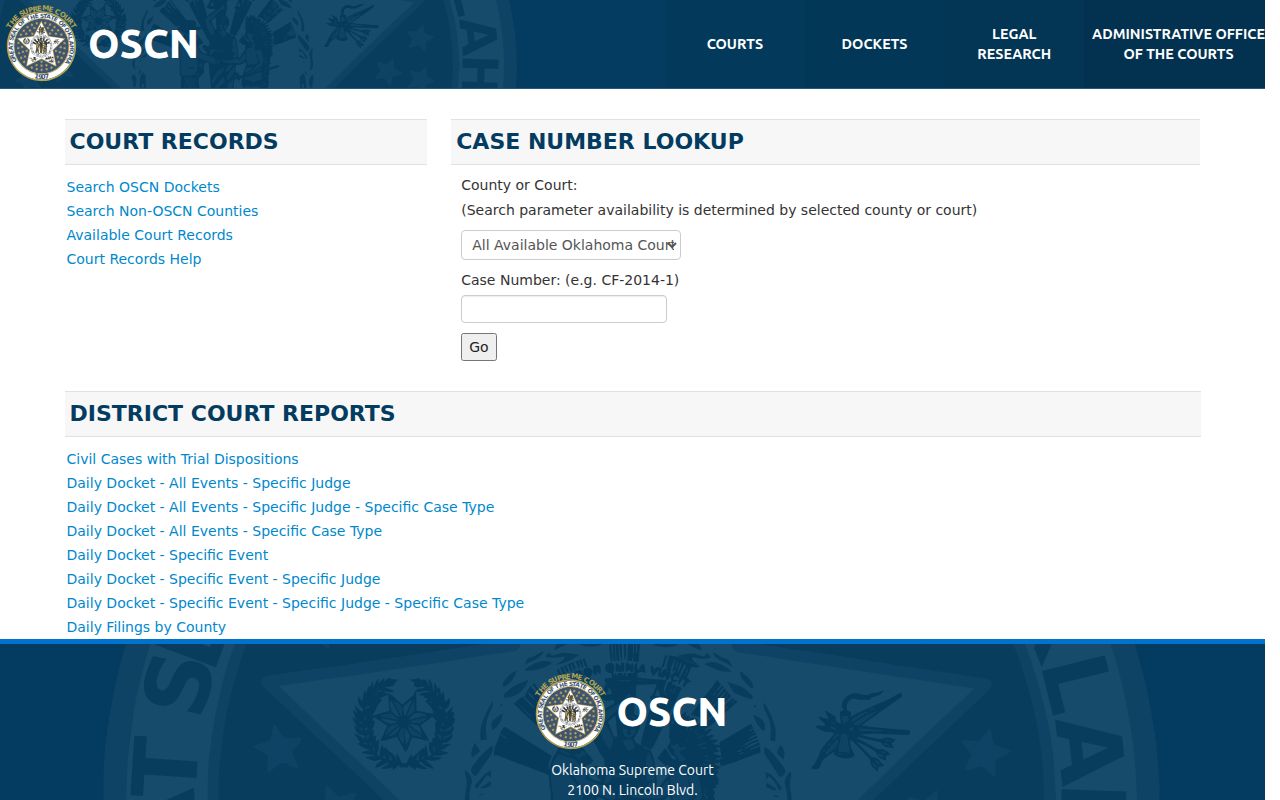
The OSCN page for Pittsburg County leads with a case-number route. ODCR's controls load through the page, so a blank screen can be a display problem rather than a status answer.
OSCN Case Numbers Narrow the Search
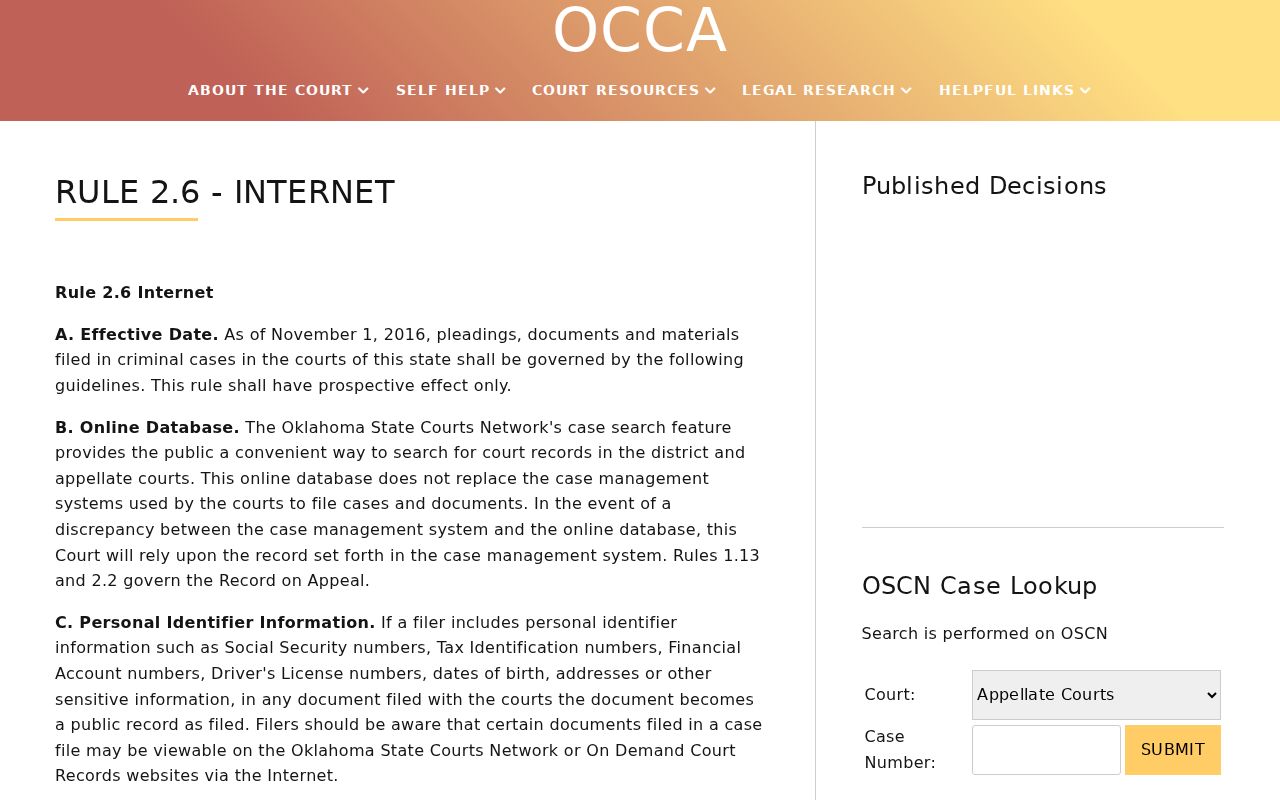
The official OSCN docket search wants a county or court plus a case number, and shows CF-2014-1 as its visible example. Read that only as a format guide. The prefix marks the case class, the year and sequence identify the file, and a real number from a notice beats any name guess. A Pittsburg County docket may list a bench-warrant event, failure to appear, cost hearing, payment, return, bond, release, recall, or quash entry, though the scanned order itself may stay hidden. OCCA Rule 2.6 bars public display of arrest, bench, cost, search, and traffic-ticket documents carrying complete personal identifiers. So save the event date and case number, then ask the Court Clerk what the status means today. Remember what the result is: a docket lead for Pittsburg County District Court, not a statewide active-warrant database, and it says nothing about municipal, tribal, or federal courts.
The county case-number search screen is documented at the official OSCN docket page.
What a Pittsburg County Warrant Search Returns
A matched Pittsburg County result pairs a case caption with dated events. Read the court, case number, event label, and newest entry first. One caution. A docket can show a warrant issued, or later returned, without saying a live order still stands. When the newest event is old or unclear, ask the Court Clerk for the current answer.
| Case number | District or municipal identifier used to find the record. |
|---|---|
| Warrant label | Bench, arrest, cost arrest, cite-and-release, FTA, or another court term. |
| Event date | The date an order, return, payment, recall, or hearing was recorded. |
| Issuing court | District Court of Pittsburg County or a named municipal court. |
| Status lead | Issued, active, served, returned, recalled, quashed, paid, or cleared language. |
| Sample format | CM-YYYY-NNN is a format example, not a public person's record. |
ODCR Filters Help With Name Results
ODCR labels its party-name field “Last, First” and layers on court group, court, party type, case type, full case number, filed-date range, activity date, search, and reset controls. Add filters one at a time. A court plus an approximate date can shrink a broad result set without opening unrelated files. The site's update panel describes court-update status, but that panel is not a live warrant confirmation for Pittsburg County. A docket event may be historic. A document may sit behind identifiers, sealing, juvenile confidentiality, or another access rule. Keep the URL and search date, then ask the issuing clerk which event closes the warrant obligation.
The filter set is shown by the official ODCR public search.
Where Pittsburg County Warrants Are Checked
Pittsburg County splits its warrant records across a few doors. The Court Clerk keeps the dockets for District Court, the sheriff's office handles service and custody, and a city court tracks municipal ordinances, parking, traffic, and failure-to-appear matters. No single public database replaces those contacts. The county jail roster can show booking, charges, bail, and holds, but it is not a warrant search. For the sheriff, start with the general contact page, which lists 918-423-5858 and office@pittsburgsheriff.com. That form is not a formal warrant certificate. A specific request should name an existing case, citation, date range, or warrant-related docket event so the office can act on it.
Municipal Warrants Need City Checks
A citation from McAlester, Krebs, Hartshorne, Haileyville, or Quinton can stay with the city court even though the Pittsburg County sheriff posts no list of these municipal warrants. Each city runs its own docket. McAlester publishes a payment portal and court contacts. Krebs posts a first and third Tuesday calendar and a traffic-court location. Hartshorne holds a first-Monday session each month. Haileyville routes fines through City Hall and CPTeller. Quinton lists officials and court-date notices but offers no public search fields. Go by the city printed on the citation. Ask whether the trouble is a missed appearance, an unpaid balance, a payment plan, proof of compliance, or a warrant, since a vendor that takes the money still cannot recall an FTA or warrant; only the city court in Pittsburg County can do that.
The county's access distinction is reinforced by the official OCCA Rule 2.6 page.
Access and Restricted Warrants
Oklahoma's Open Records Act supports public inspection, but a request must stay within releasable records. Pittsburg County follows the same line. Arrest, bench, cost, search, and traffic-ticket records with complete personal identifiers may be withheld from OSCN and ODCR view. Juvenile, sealed, investigatory, and confidential material can also be absent.
Access rule: Ask for the releasable portion of an existing record and the legal reason for any withheld part. An online blank does not certify that no warrant exists.
For the state access rules, read 51 O.S. §§24A.5 and 24A.30. The Pittsburg County Court Clerk or a city clerk can explain what the current process asks of you.
When a Blank Result Needs a Call
A blank result has many causes in a Pittsburg County warrant search. The wrong court, a wrong case number, a spelling mismatch, delayed entry, a municipal case, a federal or tribal order, a sealed file, juvenile material, or a restricted warrant document can all hide the answer. Sometimes the case was resolved while a historic event still shows. An empty jail roster is not clearance either. Call the Court Clerk at 918-423-4859 for District Court records, and call the issuing city court for a municipal ticket. The sheriff at 918-423-5858 handles service or custody questions. Keep the search date and result. If an arrest warrant seems possible, an Oklahoma attorney can help you pick the safest next step.